

Key Takeaways
- Digital tracing eliminates the need for paper prints, carbon paper, and manual transfers.
- Use mobile phones for small motifs and tablets for medium-sized patterns.
- Laptops and TVs are ideal for large bridal blouse designs and heavy Maggam work.
- The AariWorkDesigns.com tool allows you to upload custom designs and adjust sizes precisely.
- Maximize screen brightness and secure fabric to the screen for the best tracing results.
- Digital tracing ensures better symmetry and reduces the risk of distorted motifs.
Aari embroidery is a beautiful art, but every skilled Aari artist knows that the quality of the final work depends heavily on how accurately the design is traced onto the fabric. Over the years, I have used many traditional methods for tracing blouse designs, maggam work patterns, bridal motifs, neck designs, and sleeve patterns. However, modern devices have made the process much easier, faster, and more accurate.
In this guide, I will explain how to trace Aari design in blouse fabric using mobile phones, tablets, laptops, PCs, and even TVs. I will also show how you can use the tracing tool available on AariWorkDesigns.com to trace any design directly onto cloth without printing.
Why Proper Tracing Is Important in Aari Work
Before starting embroidery, the design must be transferred accurately to the fabric. Poor tracing can cause:
- Uneven embroidery lines
- Incorrect bead placement
- Distorted motifs
- Difficulty during stitching
A clean tracing makes the embroidery process smoother and produces professional-looking results.
Traditional Aari Design Tracing Methods
Traditionally, artists use:
- Butter paper tracing
- Carbon paper transfer
- Chalk powder methods
- Screen printing
- Hand drawing
While these methods work, they often require additional materials, printing costs, and considerable preparation time.
Today, digital tracing offers a much easier alternative.
What Is the Aari Work Designs Trace Tool?
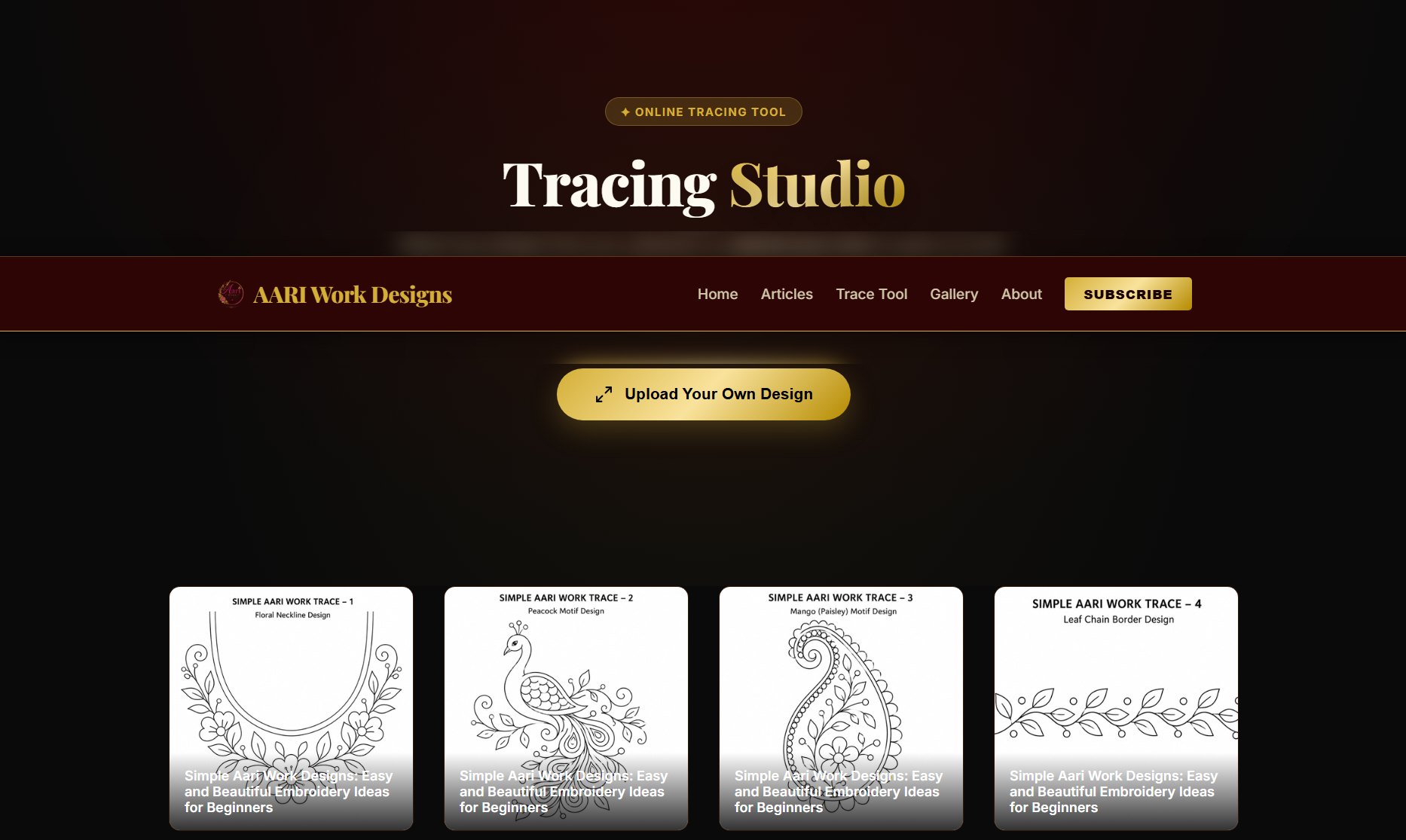
The tracing tool available on AariWorkDesigns.com allows embroidery artists to directly trace designs from a digital screen onto fabric.
Instead of printing designs, you can:
- Select any design from the design library
- Upload your own design
- Adjust design size precisely
- Use mobile, tablet, laptop, desktop monitor, or TV
- Trace directly onto cloth
This saves both time and money while improving accuracy.
How to Trace Aari Design in Blouse Using a Mobile Phone
Mobile tracing is ideal for:
- Small blouse motifs
- Sleeve designs
- Neck patterns
- Single buttas
- Small floral arrangements
Step 1: Open the Tracing Tool
Visit AariWorkDesigns.com/trace .
Step 2: Choose a Design
You can:
- Select a design from the design library
- Upload your own design image
Step 3: Set the Required Size
Adjust the design dimensions according to your blouse requirement.
For example:
- Back neck design
- Front neck design
- Sleeve border
- Sleeve motif
The tool allows accurate scaling before tracing.
Step 4: Increase Screen Brightness
Set your mobile brightness to maximum.
This helps the design appear clearly through the fabric.
Step 5: Place Fabric Over Screen
Carefully stretch the blouse cloth over the mobile screen.
Use clips or tape if necessary.
Step 6: Trace the Design
Use:
- Fabric marker
- Tailor chalk
- Heat-erasable pen
Trace all visible outlines carefully.
Benefits of Mobile Tracing
- No printing required
- Fast setup
- Easy for beginners
- Perfect for small designs
- Portable and convenient
How to Trace Aari Designs Using a Tablet
Tablets are one of my favorite devices for tracing because they provide a larger screen while remaining portable.
Tablet tracing is ideal for:
- Medium blouse designs
- Bridal blouse motifs
- Peacock designs
- Floral neck patterns
- Sleeve compositions
The process is exactly the same as mobile tracing:
Open the tracing tool.
Select or upload a design.
Set the required size.
Increase brightness.
Place fabric over the screen.
Trace carefully.
Because tablets have larger displays, you can trace bigger motifs without moving the fabric repeatedly.
How to Trace Large Aari Designs Using PC or Laptop
Many embroidery artists face one common problem:
Large blouse designs cannot be traced comfortably on mobile screens because the entire pattern does not fit at once.
This is where laptops and desktop monitors become extremely useful.
Best For
- Bridal blouse backs
- Heavy maggam work patterns
- Full blouse layouts
- Large peacock motifs
- Designer bridal compositions
Steps
1. Open the Tracing Tool
Visit the tracing page on AariWorkDesigns.com.
2. Select Your Design

Aari Embroidery Needles/Hooks Set (Tulip/Iron)
Est. ₹250 - ₹400Check Price on Amazon.in*We may earn a commission if you purchase through this link.Choose from the library or upload your own image.
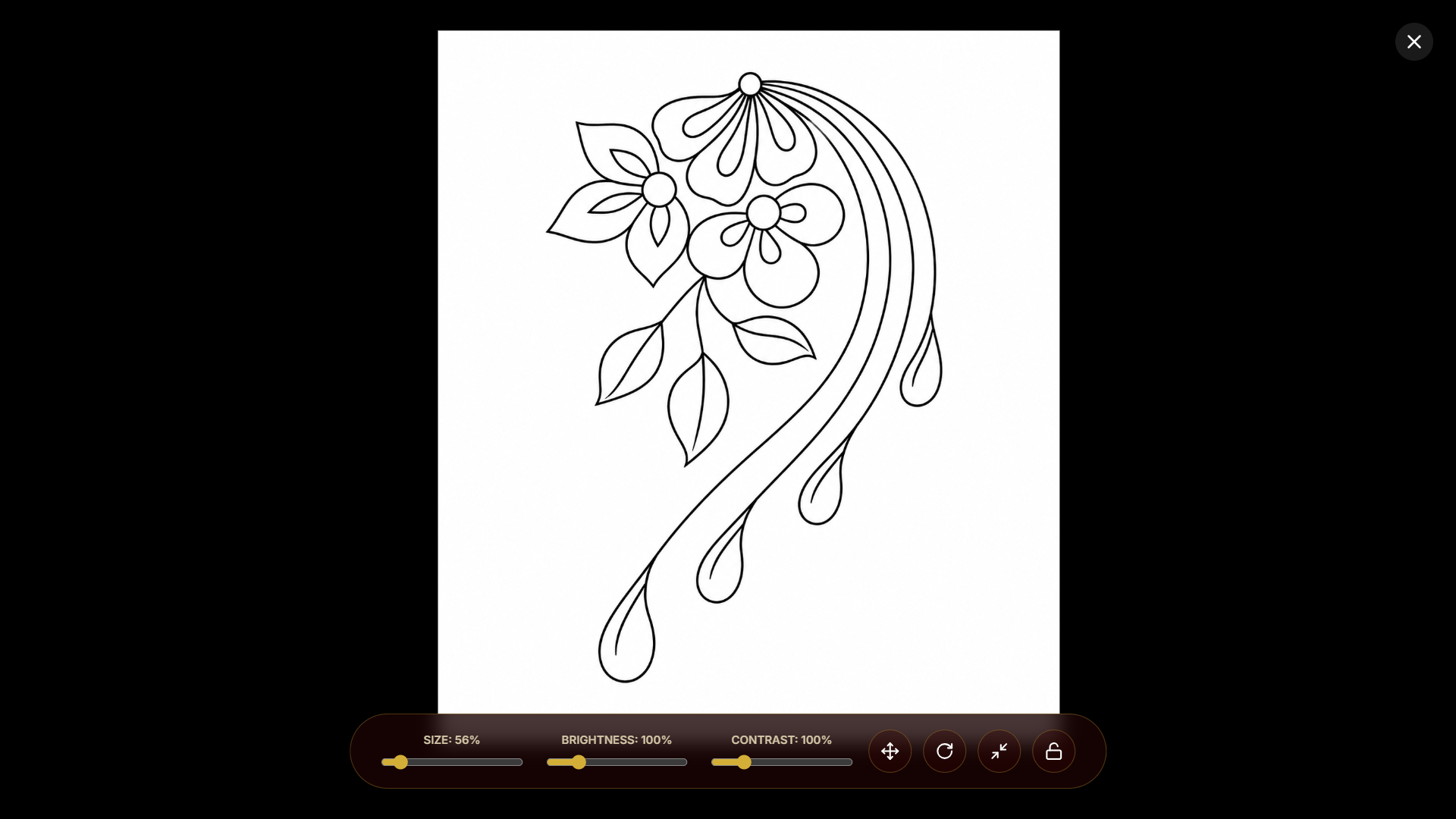
3. Adjust Design Size
Resize the design according to actual blouse measurements.
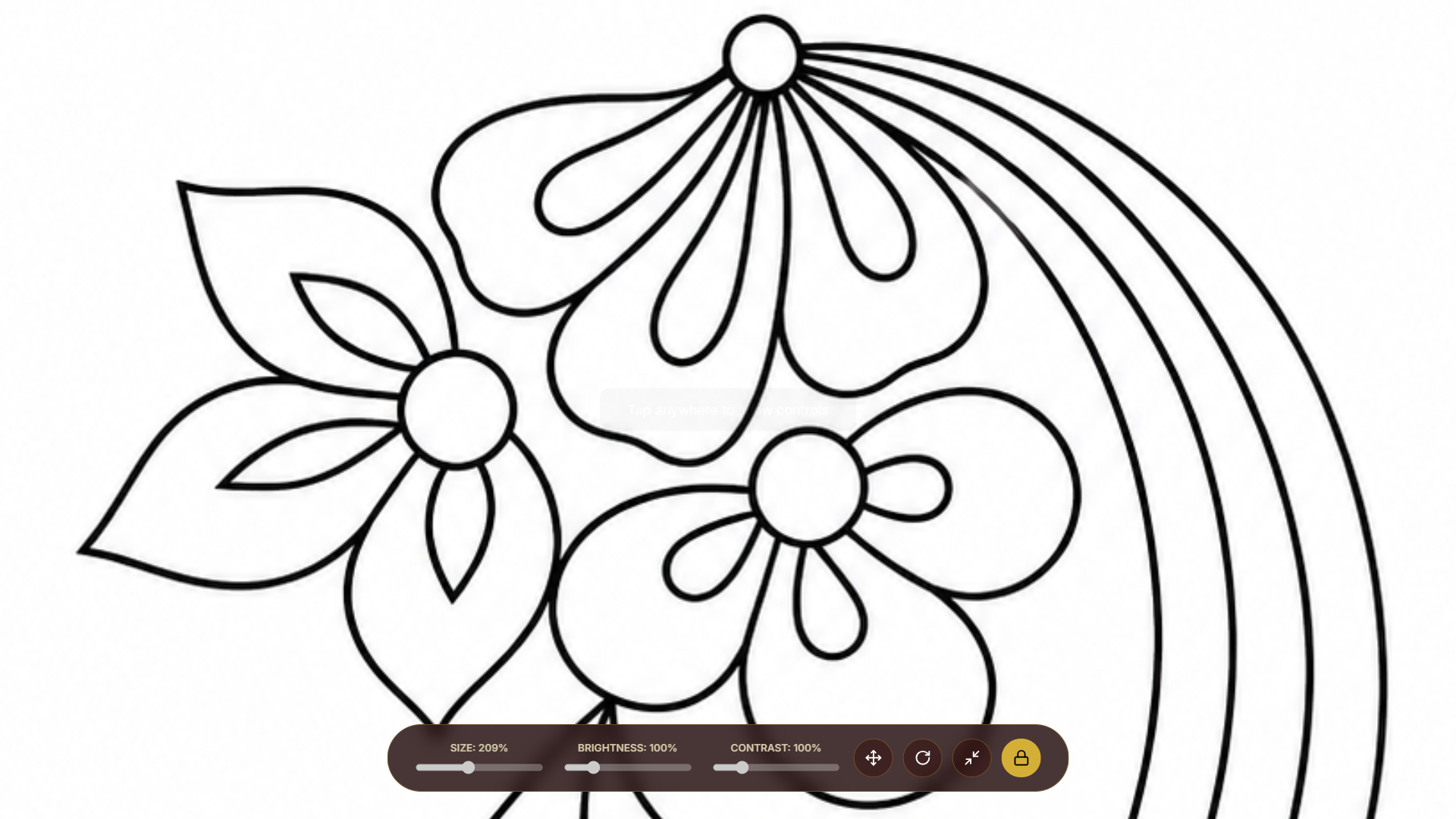
4. Maximize the Design
Use full-screen mode to utilize the entire display.
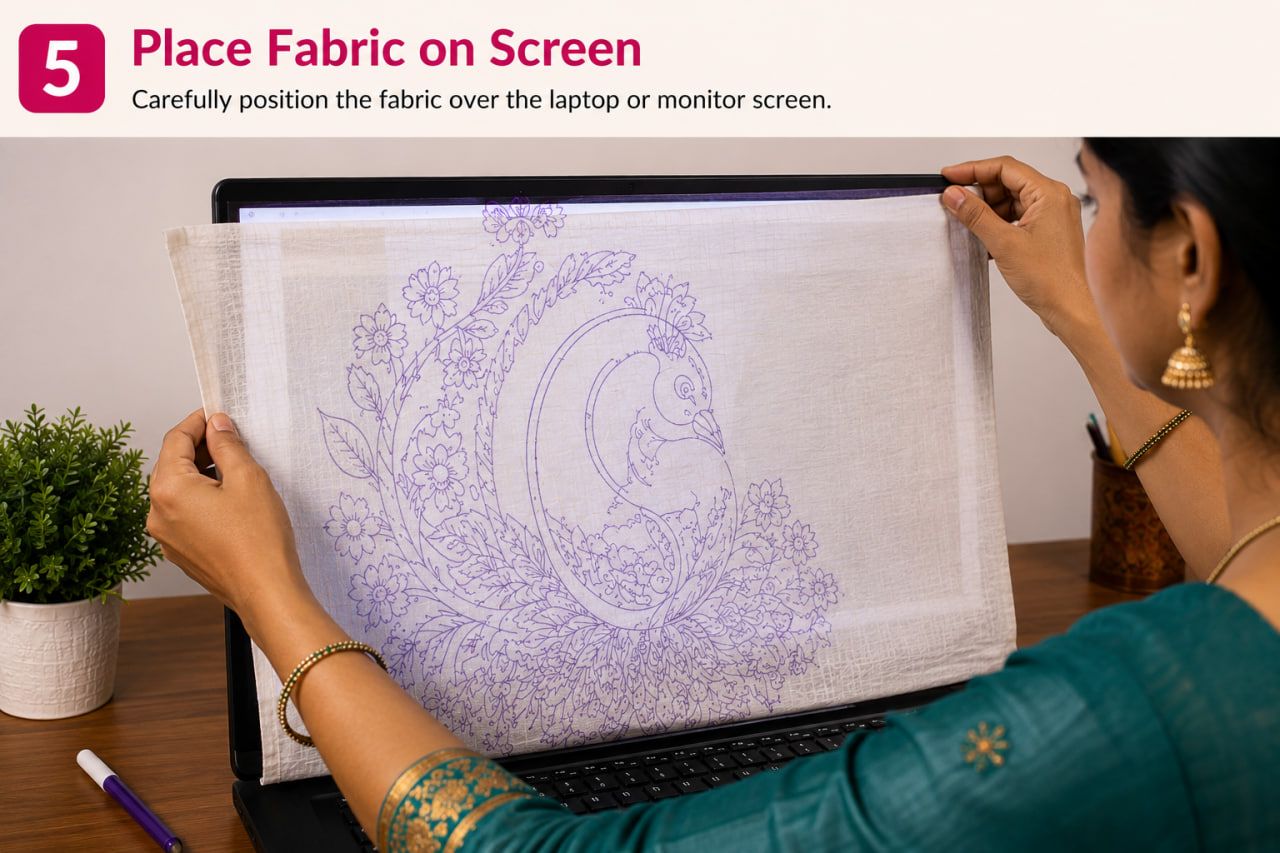
5. Place Fabric on Screen
Carefully position the fabric over the laptop or monitor screen.
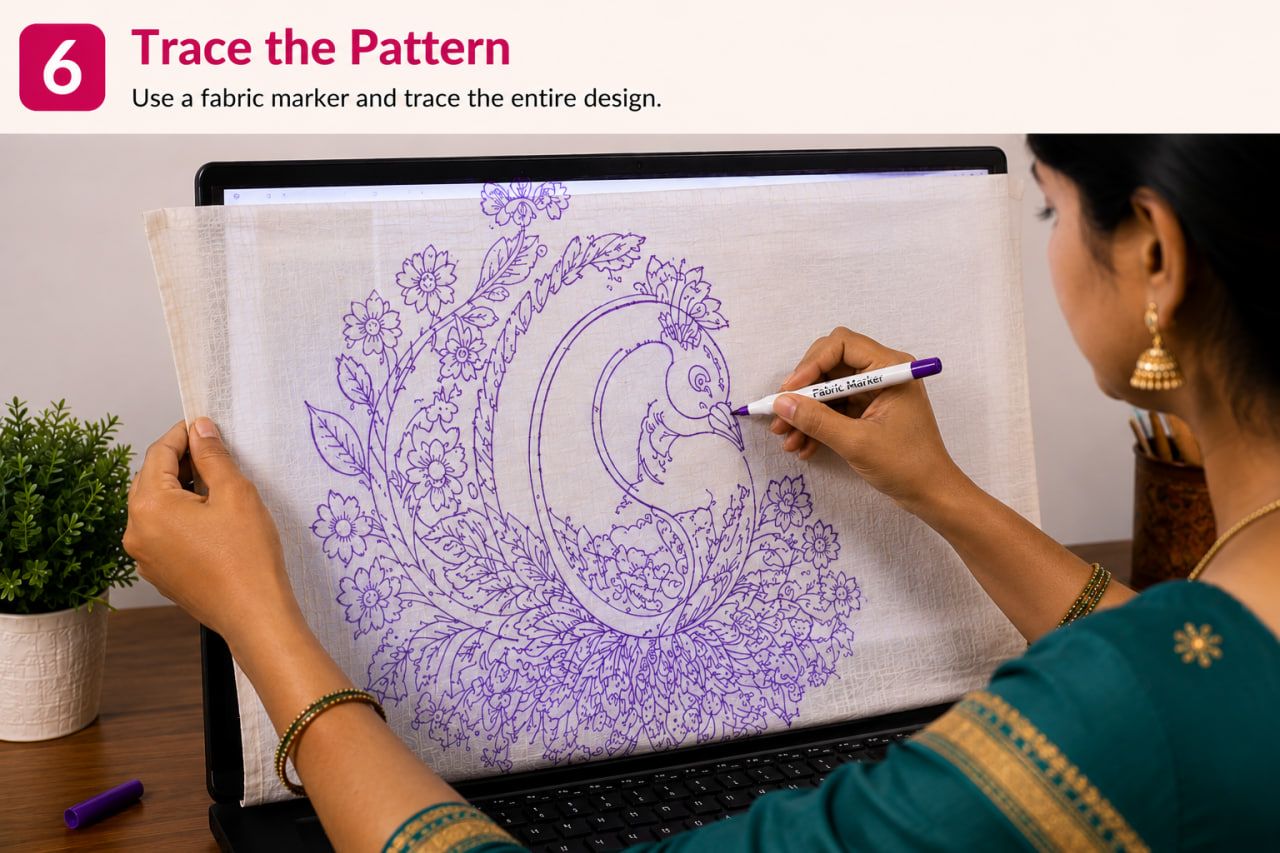
6. Trace the Pattern
Use a fabric marker and trace the entire design.
Advantages of Laptop Tracing
- Larger visible area
- Better accuracy
- Easier alignment
- Ideal for bridal work
- Less design shifting
How to Trace Extra Large Aari Designs Using a TV
This is one of the most powerful features of digital tracing.
For very large designs, even a laptop may feel small.
You can open the AariWorkDesigns.com tracing page on:
- Smart TV
- Android TV
- TV connected to laptop
- TV connected through HDMI
This creates a giant tracing surface.
Perfect For
- Full bridal blouse designs
- Large back motifs
- Designer maggam work layouts
- Saree pallu designs
- Saree borders
- Lehenga embroidery layouts
Process
Open the Tracing Tool on TV
Launch the website directly on a smart TV browser or connect your laptop to the TV.
Select Design
Choose from the library or upload your own design.
Set Size
Adjust dimensions according to your embroidery requirement.
Display in Full Screen
Expand the design across the TV screen.
Position Fabric
Place fabric carefully over the TV display.
Trace Smoothly
Since the entire design is visible at once, tracing becomes significantly easier.
Why TV Tracing Is Useful
For large embroidery projects, artists often struggle because they must move the cloth repeatedly when using small devices.
A TV allows:
- Continuous tracing
- Better symmetry
- Faster work
- Improved accuracy
- Reduced tracing errors
Upload Your Own Design for Tracing
One of the most useful features of the Aari Work Designs tracing tool is the ability to upload your own designs.
Many artists receive custom designs from clients.
Instead of printing those designs, simply:
Upload the image.
Resize it.
Display it on your preferred device.
Trace directly onto fabric.
This is especially helpful for custom bridal orders and personalized embroidery projects.
Benefits of Using the Aari Work Designs Tracing Tool
Huge Design Library
Access hundreds of ready-made Aari and Maggam work designs.
Upload Custom Designs
Use your own artwork instantly.
Accurate Size Adjustment
Scale designs according to actual blouse measurements.
Works on Any Device
- Mobile
- Tablet
- Laptop
- Desktop
- Smart TV
No Printing Cost
Eliminates the need for paper prints.
Faster Workflow
Start tracing immediately.
Better Accuracy
Digital scaling helps maintain design proportions.
Ideal for Beginners and Professionals
Both new learners and experienced Aari artists can benefit from the tracing system.
Tips for Better Aari Design Tracing
- Use maximum screen brightness.
- Clean the screen before tracing.
- Use thin fabric markers.
- Secure the cloth to prevent movement.
- Trace major outlines first.
- Double-check symmetry before embroidery.
- Use larger screens for larger designs.
Final Thoughts
If you are wondering how to trace Aari design in blouse fabric efficiently, digital tracing is one of the easiest methods available today. Instead of relying on printing, carbon paper, or manual transfers, you can use the AariWorkDesigns.com tracing tool to display designs directly on mobile phones, tablets, laptops, desktop monitors, or even TVs.
For small blouse motifs, a mobile phone works perfectly. For medium designs, a tablet is ideal. For bridal blouses and large embroidery layouts, laptops, desktop monitors, and TVs provide a much more comfortable tracing experience.
Whether you choose a design from the library or upload your own artwork, the tracing tool makes transferring embroidery designs onto fabric faster, more accurate, and more convenient than traditional methods.
